

To block a specific IP address, follow these steps:
- Login to cPanel.
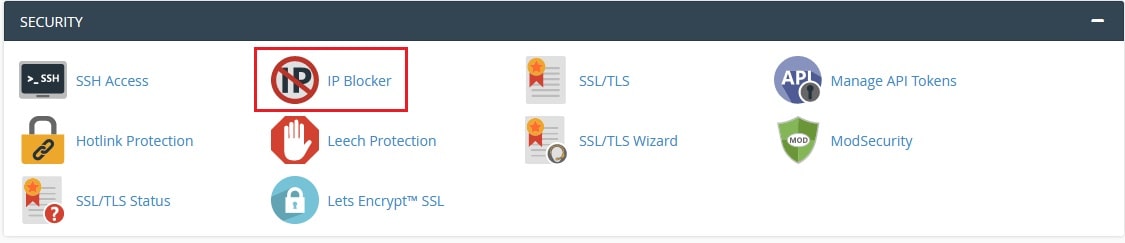
- Navigate to the Security section and click on IP Blocker.
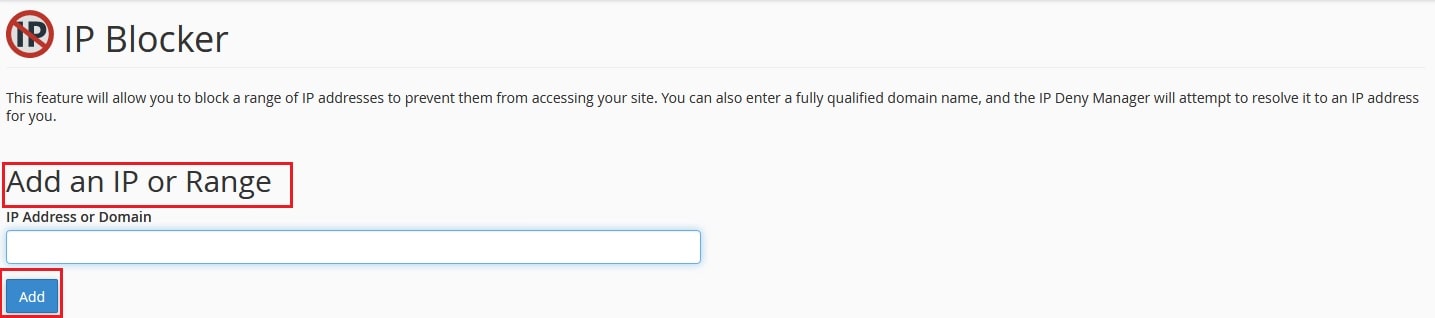
- Under the IP Address or Domain textbox, add the specific IP address or range of IP addresses and click on the Add button.
- You will get a success message.
- The added IP address will not be able to access your website.
To unblock a specific IP address, follow these steps:
- Login to cPanel.
- Navigate to the Security section and click on IP Blocker.
- Now, under Currently-Blocked IP Addresses, click on the Delete icon to unblock the specific IP address.

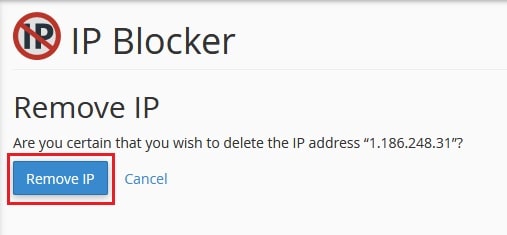
- It will ask for confirmation, in that click on the Remove IP button and you will get a success message.
- The removed IP address is now able to access your website.
In this way, you can block or unblock a specific IP address from cPanel.